list-transformers
list-transformers command
The list-transformers command provides a list of all the allowed transformers, including both standard and advanced
transformers. This list can be helpful for searching for an appropriate transformer for your data transformation needs.
To show a list of available transformers, use the following command:
greenmask --config=config.yml list-transformers
Supported flags:
--format— allows to select the output format. There are two options available:textorjson. The default setting istext.
Example of list-transformers output:
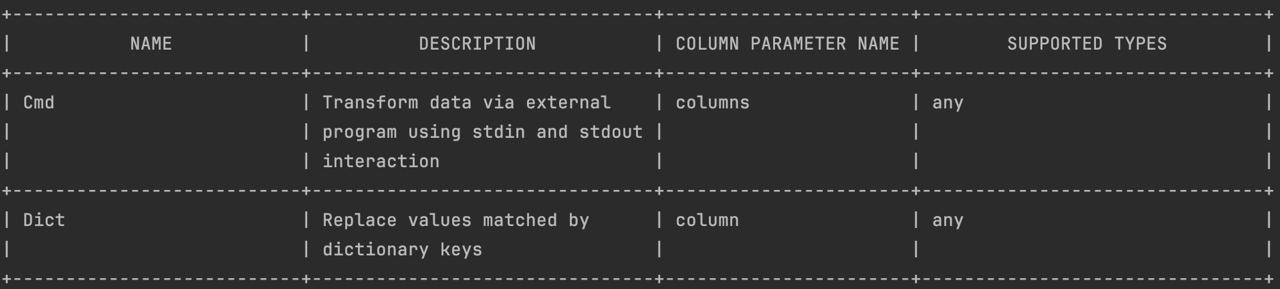
When using the list-transformers command, you receive a list of available transformers with essential information
about each of them. Below are the key parameters for each transformer:
NAME— the name of the transformerDESCRIPTION— a brief description of what the transformer doesCOLUMN PARAMETER NAME— name of a column or columns affected by transformationSUPPORTED TYPES— list the supported value types
The JSON call greenmask --config=config.yml list-transformers --format=json has the same attributes:
JSON format output
[
  {
    "name": "Cmd",
    "description": "Transform data via external program using stdin and stdout interaction",
    "parameters": [
      {
        "name": "columns",
        "supported_types": [
          "any"
        ]
      }
    ]
  },
  {
    "name": "Dict",
    "description": "Replace values matched by dictionary keys",
    "parameters": [
      {
        "name": "column",
        "supported_types": [
          "any"
        ]
      }
    ]
  }
]